The Second Lock Nobody Tests: Why Your Two-Factor Setup May Be Weaker Than Your Password
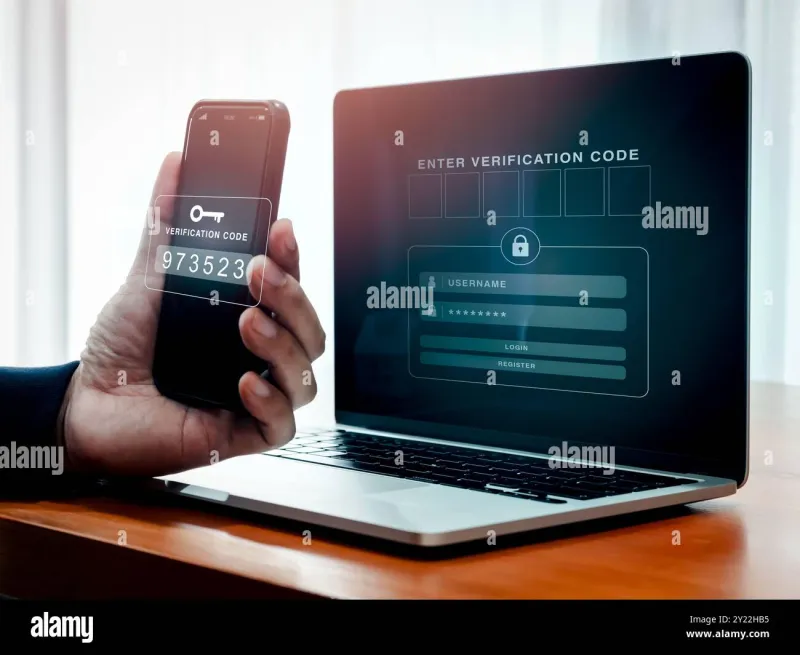
Photo: smartphone security two-factor authentication code close up, via c8.alamy.com
Two-factor authentication has enjoyed a decade of good press, and deservedly so. Federal agencies, banks, and every major consumer platform now urge users to switch it on, and study after study has shown that a second factor blocks the overwhelming majority of automated account takeovers. But somewhere between the marketing and the reality, a quieter truth emerged: not all two-factor authentication is created equal, and the weakest version can lull a user into a confidence they have not earned.
The uncomfortable question is not whether you have 2FA. It is what kind — and whether the recovery path you set up years ago has quietly become the front door an attacker will walk through.
The Hierarchy of Second Factors
Security professionals tend to rank the major methods along a spectrum, and the differences matter more than most onboarding screens suggest.
At the bottom sits SMS. A texted code travels across the cellular network and can be intercepted or redirected through a SIM swap — a scam in which a fraudster convinces or bribes a mobile carrier to transfer your phone number to a SIM card in their possession. The FBI's Internet Crime Complaint Center has logged hundreds of millions of dollars in losses tied to SIM swap schemes, and victims often include people who did everything else right. SMS also remains vulnerable to more mundane interception techniques involving SS7, the aging signaling protocol underpinning global telephony.
One rung up are authenticator apps such as those from Google, Microsoft, and a growing field of competitors. These generate time-based codes on the device itself, cutting the cellular carrier out of the loop entirely. A phished password alone will not get an attacker very far, because the code never leaves your phone. The residual weakness is human: users can still be tricked into reading a code aloud to a persuasive caller.
Push notifications, where a prompt simply asks "Is this you?", occupy a contested middle ground. They are convenient, and convenience is precisely the problem. Attackers discovered that if they spam a user with prompts, the target will eventually tap "Approve" just to make it stop — a technique security researchers call push fatigue, or MFA fatigue. The 2022 breach of Uber began, by the company's own account, with exactly this kind of bombardment.
At the top sit hardware security keys and the newer passkey standard, both built on FIDO protocols. These bind the login to a physical device or a cryptographically attested credential on your phone or computer, which means a phishing site cannot harvest them even if it perfectly imitates your bank's login page. The credential simply will not work anywhere except the legitimate origin. This is why Google, which rolled out security keys internally, reported that employee account takeovers from phishing effectively disappeared.
The Recovery Code Paradox
Here is the irony at the heart of the two-factor trap: the stronger your second factor, the more catastrophic your recovery process becomes if you lose it.
Every major service offers backup codes — a short list of one-time strings printed or saved when 2FA is first enabled. Many users screenshot them, store them in a downloads folder, or email them to themselves, then forget they exist. An attacker who compromises a cloud photo library or an old email account may find those codes sitting there, patiently waiting, each one a skeleton key to the account the user believed was locked down.
The failure runs in both directions. Lose the codes, lose the phone, and lose access to the account all at once, and recovery can take weeks — or fail entirely, as countless users locked out of long-held email addresses have discovered. The result is a strange security dynamic in which the backup mechanism, not the primary factor, becomes the deciding event.
A Hardening Checklist for Your Most Important Accounts
A practical audit takes an afternoon and covers the accounts that matter most: your primary email, banking, password manager, and anywhere your financial identity lives.
Inventory your second factors. Go through each account's security settings and note exactly which method is active. If it is SMS on a major account, plan an upgrade.
Move high-value accounts off text messages. Migrate your email and banking to an authenticator app at minimum, and consider a hardware key or passkey for anything tied to money or identity.
Treat backup codes like cash. Print them. Store them somewhere physical — a fire safe, a safe-deposit box, a sealed envelope with important documents. Not a screenshot. Not your email.
Audit your phone number's exposure. Ask your carrier about a port-out PIN or account freeze, both of which make SIM swaps substantially harder. It is a five-minute call that closes one of the most damaging attack paths in consumer security.
Register a backup authentication device where supported. Many platforms allow a second phone or a second hardware key. Redundancy is not a luxury; it is what separates an inconvenience from a lockout.
Rehearse the lockout. Know, before an emergency, how each service handles account recovery, and whether recovery relies on a phone number you plan to keep or an email you plan to close.
The Set-It-and-Forget-It Fallacy
The security industry has sold two-factor authentication as a switch you flip once. In practice, it is a small system — with its own maintenance, its own failure points, and its own attack surface. The SIM that gets swapped, the push prompt tapped in exhaustion, the recovery code saved in a photo album: these are not exotic failures. They are the ordinary ways the second lock comes off the door.
Two-factor authentication remains one of the best bargains in personal security. But a bargain is only as good as the fine print. Read yours.