The Wipe That Wasn't: Following Your Old Laptop Into a Stranger's Hands
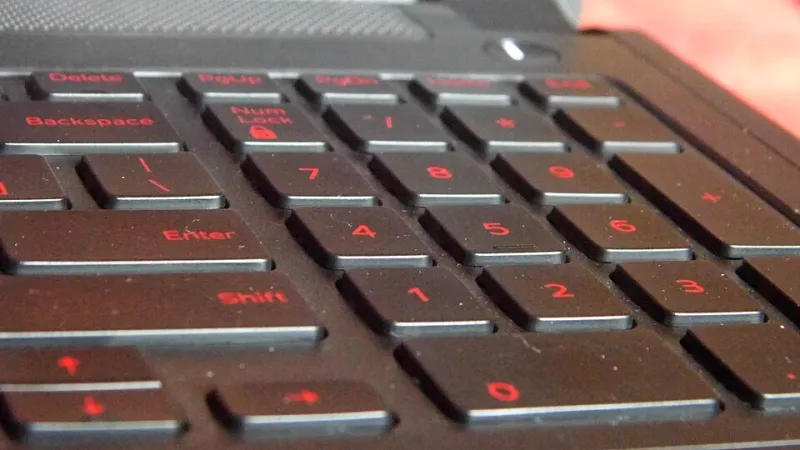
Photo: Sridhar Rao, CC BY-SA 4.0, via Wikimedia Commons
Somewhere between the moment you unbox a new device and the moment you drop the old one into a trade-in envelope, there is a leap of faith. You hold the power button, maybe tap through a confirmation screen, and trust that the machine is now empty.
It usually isn't.
What 'Delete' Actually Does
When you drag a file to the trash or choose "reset to factory settings" on most consumer devices, the operating system rarely erases the underlying data. Instead, it removes the pointer — the address book entry that tells the drive where the file lives. The bytes themselves sit in place until something else happens to overwrite them. On a device that sits in a drawer for six months before being sold, nothing has overwritten them at all.
Modern flash storage complicates this further. Solid-state drives and phone memory use a technique called wear leveling, spreading writes across the chip to extend its life. That means a single deleted photo may exist in several physical locations, only some of which a standard reset touches.
Three Devices, Three Outcomes
Consider a typical post-holiday trade-in pile: a five-year-old laptop, a two-year-old smartphone, and a smart TV heading to a family member.
The laptop. If the owner deleted personal folders and emptied the recycle bin but never touched the drive itself, a freely available recovery tool can resurrect documents, tax records, and browser histories in minutes. If the laptop used full-disk encryption — the default on recent versions of Windows with BitLocker and on macOS with FileVault — the picture changes dramatically. Encrypted data without the key is functionally indistinguishable from noise. The reset destroys the key, and the data becomes unrecoverable in any practical sense.
The phone. iOS and modern Android devices encrypt user data by default, and their factory reset procedures destroy the encryption keys. A reset iPhone is, for most purposes, genuinely clean. The risk here is different: accounts. An Activation Lock or Factory Reset Protection tied to an old Apple ID or Google account can strand a legitimate buyer — or, conversely, a rushed seller who skips signing out can leave a device that still routes messages, photos, and two-factor codes to a stranger's pocket.
The smart TV. This is the category most people get wrong. Televisions store Wi-Fi credentials, streaming service logins, and in some cases payment cards linked to app stores. A settings-level reset usually clears these, but a TV resold through a pawn shop or marketplace often travels with the remote's pairing data and the household's viewing profile intact — a small but real window into what a family watched, searched, and subscribed to.
A Selling Checklist Worth Following
For readers preparing to part with hardware this season, the sequence matters more than any single step:
- Back up first, deliberately. Use a trusted cloud service or an external drive, and verify the backup opens before you wipe anything.
- Sign out of every account. Apple ID, Google, Microsoft, streaming services, banking apps. Deauthorize the device from account settings where the option exists.
- Enable encryption before the reset if it isn't already on. On older Windows laptops without BitLocker, this may mean a full reinstallation of the operating system rather than a simple reset.
- Use the built-in factory reset — not manual file deletion. On phones and modern computers, this is the step that destroys encryption keys.
- For spinning hard drives on older machines, use a dedicated wiping tool that overwrites the entire disk, or physically remove the drive and keep it.
- Remove SIM and SD cards. They hold their own data and are frequently forgotten.
- Cancel linked subscriptions and deregister the device from services like streaming platforms or smart-home hubs.
Advice for the Other Side of the Transaction
Buying secondhand carries its own hygiene. A used device should be treated as potentially compromised: reinstall the operating system from official media where possible, check for Activation Lock or account restrictions before paying, and never accept hardware from a seller who can't demonstrate the device is free of account locks. A bargain phone that still answers to someone else's Google account isn't a bargain — it's a paperweight with a stranger's shadow on it.
The Habit Worth Building
The most reliable privacy practice isn't a dramatic wipe the night before a sale. It's encryption enabled from day one, so that every future reset is automatically final. The resale market is a legitimate and useful part of American consumer life — keeping devices in circulation beats sending them to landfills. The data on them, though, was never meant to travel with the box.